
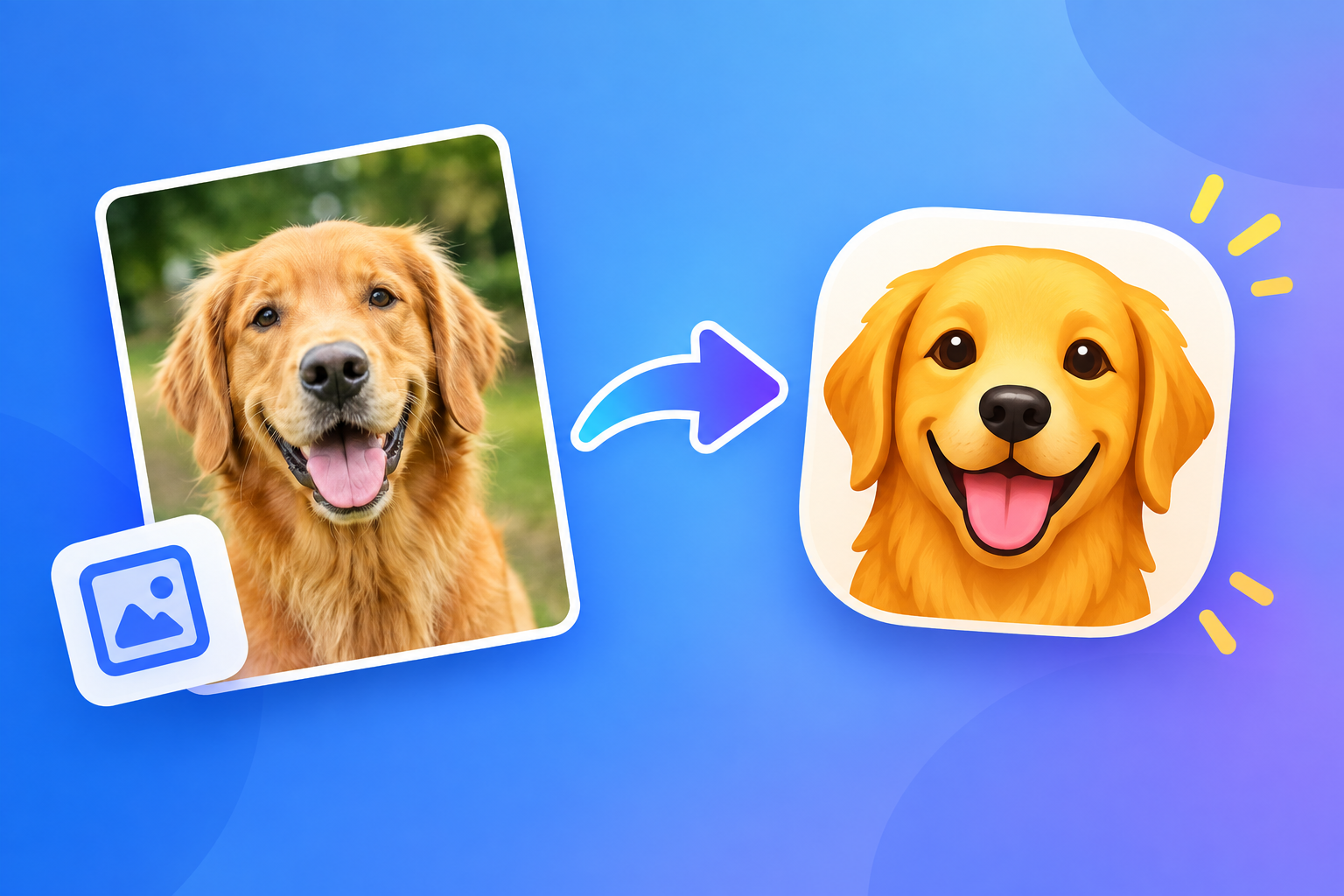
Learning how to make photo emoji is a fun and creative way to turn your own pictures into personalized expressions for chats, social media, and everyday messaging. Instead of using the same standard icons everyone has, you can create a photo emoji that looks like you, your pet, your friend, or any memorable moment. These custom images combine the emotion of emojis with the personal touch of real photos, which makes conversations feel more lively and authentic. In this complete guide, you will learn what photo emojis are, why they matter, which tools to use, and the exact steps for iPhone and Android. You will also discover creative styles, practical use cases, common mistakes, best practices, and expert tips to get the best results.
Whether you want to make a funny reaction sticker, a cute profile icon, or a branded image for your business, this article will walk you through everything in simple language. By the end, you will know how to make photo emoji designs that look clean, expressive, and ready to share anywhere.
Why Learning How To Make Photo Emoji Matters
Custom photo emojis help you stand out in crowded chats and feeds. They add personality, emotion, and context that plain text cannot convey.
1. Add Personal Touch To Messages
When you learn how to make photo emoji from your own pictures, your messages instantly feel more personal and warm. A smiling selfie, a silly face, or a pet photo carries far more emotion than a generic yellow icon. Friends and family recognize you in the image, which builds connection and makes replies more engaging and memorable for everyone involved in the conversation.
2. Express Emotions More Clearly
Text messages are often misunderstood because tone and facial expressions are missing. A custom photo emoji solves this by showing your real face, eyes, and smile. Whether you feel excited, surprised, tired, or playful, a photo-based expression communicates your mood instantly. This visual clarity reduces confusion and helps people respond with the right emotion and understanding.
3. Stand Out On Social Media
Social feeds are full of similar content, but personalized visuals always attract more attention. When you make photo emoji stickers for stories, comments, and reels, your posts look unique and creative. Followers are more likely to pause, react, and share something that feels original. This extra visibility can increase likes, comments, saves, and overall engagement on your personal or business profiles.
4. Create Fun Memories With Friends
Making photo emojis together is a playful activity that turns ordinary pictures into inside jokes and shared memories. You can transform group photos, vacation shots, and funny moments into stickers everyone uses in the chat. These small creations strengthen friendships because they remind people of good times. Each time someone sends the sticker, it brings back laughter and positive feelings.
5. Support Branding And Business Use
Small businesses, creators, and influencers can use photo emojis to make their brand more friendly and recognizable. A custom face icon, product sticker, or mascot emoji helps customers remember you. When followers use or see these visuals repeatedly, brand recall improves. These playful assets also make promotions, announcements, and customer chats feel less formal and more approachable.
6. Save Time With Quick Reactions
Once you create a set of favorite photo emojis, you can respond faster without typing long messages. A thumbs-up face, laughing picture, or thank-you sticker can answer in one tap. This is especially useful in busy group chats or work messages where speed matters. Having ready-made reactions improves communication flow while keeping your personality visible in every reply.
Essential Tools To Make Photo Emoji Easily
You do not need advanced design skills to start. These simple tools help you cut out faces, remove backgrounds, and polish your photo emoji.
- Built In Phone Features: Modern iPhones and Android phones include background removal, stickers, and photo cutout tools that work in seconds.
- Free Sticker Maker Apps: Dedicated apps let you erase backgrounds, add outlines, insert text, and export images as stickers for chats.
- Photo Editing Apps: Simple editors help you brighten faces, crop tightly, smooth edges, and improve clarity before saving.
- Emoji And Keyboard Apps: Some keyboards allow you to save custom images and send them quickly like regular emojis in any app.
- Social Media Editors: Story and chat editors provide cutout stickers, filters, drawings, and captions that make designs more expressive.
- Cloud Storage And Backup: Saving your creations in one folder keeps them organized and ready to reuse across devices.
How To Make Photo Emoji On IPhone Quickly
Follow these simple steps to turn any picture in your camera roll into a shareable photo emoji using built in iPhone tools.
- Choose A Clear Photo: Open your photos and pick an image with good lighting, a visible face, and a simple background for a cleaner cutout.
- Press And Hold The Subject: Touch and hold the person or object until it glows, then tap Add Sticker to save it automatically as a sticker.
- Add Outline Or Effect: Open stickers, select your cutout, choose Add Effect, and apply an outline, comic style, or puffy look for emoji appeal.
- Adjust Size And Position: Resize the sticker so the face fills most of the frame and remains readable even at small chat sizes.
- Save To Stickers Panel: Confirm the sticker is stored in your emoji and stickers drawer so you can access it from messages and other apps.
- Send In Messages: Open a conversation, tap the plus button, choose Stickers, and tap your photo emoji to send it instantly.
- Use In Other Apps: Copy the sticker image or save it as a PNG file to use in social comments, stories, and third party chats.
- Create More Variations: Repeat the process with happy, sad, surprised, and funny faces to build a complete personal emoji pack.
How To Make Photo Emoji On Android Easily
Android phones offer flexible options for stickers and cutouts. These methods work for most recent Samsung, Google Pixel, and other devices.
1. Use Photo Cutout In Gallery
Open your gallery app and select a sharp portrait with clear facial features. Many Android galleries now offer background remover or create sticker options when you long press the subject. Carefully lift the face or object from the background and save it as a sticker. This quick method produces a clean base image that you can immediately send in chats without needing extra software.
2. Try Keyboard Sticker Maker
Your keyboard app may include a built in sticker studio that simplifies the entire process. Open the sticker section, tap create, and choose a photo from your gallery. The tool will outline the subject automatically and let you adjust edges. Once saved, your creation appears alongside regular emojis, making it very convenient to insert your photo emoji while typing in any messaging application.
3. Edit With A Sticker App
If your phone does not have a strong built in tool, install a popular sticker maker application. Import your photo, use auto cut or manual eraser to remove the background, and smooth the edges with feather or refine options. Add a white border to make it look like a real emoji. Export the result in high resolution so it stays sharp when shared in large or small sizes.
4. Improve Lighting And Sharpness
Photo emojis are often viewed at small sizes, so clarity is very important. Increase brightness slightly, boost contrast, and sharpen the face so eyes, smile, and eyebrows stand out. Avoid heavy filters that change skin tone unnaturally. A bright, focused face will remain readable in dark mode chats, tiny comment bubbles, and crowded group conversations where details can easily get lost.
5. Add Text And Decorations
Short words like wow, thanks, lol, or good morning can make your photo emoji more useful. Place bold text above or below the face using a simple font. Keep it to one or two words so it stays legible. You can also add small stars, hearts, or doodles for extra charm. Avoid clutter because too many decorations will distract from the main facial expression.
6. Save And Share Correctly
Save your finished design as a PNG file to preserve transparency and crisp edges. Create a dedicated folder named My Emojis so you can find designs quickly. From there, share directly to messaging apps, social stories, or status updates. On Android, you can also add the pack to supported chat apps for one tap access during fast conversations.
Creative Photo Emoji Styles You Can Try
Once you know the basics, experiment with different looks. These popular styles help your photo emoji match your mood and personality.
1. Classic Face Reaction Style
This style focuses on a close crop of your face showing a strong emotion like joy, shock, laughter, or confusion. Keep the background transparent and add a thick white outline for a sticker feel. It works perfectly as a quick reply because people instantly see how you feel. Create several versions with different expressions to cover everyday chat situations effectively.
2. Cartoon And Comic Effect Style
Apply a cartoon, sketch, or comic filter to your photo to give it a playful illustrated look. This style hides small imperfections while making colors bolder and more fun. Exaggerated outlines and smooth tones make the face look like an animated character. It is ideal for social media, younger audiences, and anyone who wants a creative twist without losing personal resemblance.
3. Pet And Animal Face Style
Turn your dog, cat, or other pet into a lovable emoji by capturing a clear front facing photo. Focus on the eyes and mouth to highlight expression. Add captions like hungry, sleepy, or happy for humor. Pet emojis are highly shareable because animals naturally attract attention. They are perfect for family chats, fan pages, and lighthearted social posts.
4. Celebration And Holiday Style
Add festive hats, glasses, confetti, or seasonal backgrounds to celebrate birthdays, holidays, and special events. A Santa hat, party cap, or fireworks frame instantly sets the mood. These limited edition designs feel special because they are only used for a short time. They encourage more interaction during celebrations and make greetings feel warmer and more thoughtful.
5. Minimal Outline Icon Style
For a clean modern look, use high contrast, simple shapes, and bold outlines. Crop tightly around the face and remove all extra details. This style stays readable even at very small sizes, which is important for comments and reactions. Minimal icons also look professional, so they are suitable for business chats, profiles, and branded communication where clarity matters most.
6. Text Bubble Meme Style
Combine your photo with a short funny phrase inside a speech bubble. Choose everyday situations like Monday mood, coffee first, or no way to make it relatable. Use large readable fonts and strong color contrast. Meme style photo emojis spread quickly because people love sharing humor. Keep the joke simple so it works across different groups and contexts.
Simple Photo Emoji Editing Basics Explained
Good editing separates an average cutout from a polished photo emoji. You only need a few basic adjustments to achieve professional results.
Start with a high quality original photo because blurry images cannot be fixed later. Natural daylight, steady hands, and a clean background make the cutout process much easier. A sharp source saves editing time and produces smoother edges.
Next, focus on accurate background removal. Zoom in and carefully refine hair, ears, glasses, and clothing edges. Soft feathering prevents harsh lines, while preserving important details keeps the face recognizable and natural.
Then adjust color and brightness for small screen visibility. Slightly increase exposure, warmth, and sharpness so the face pops in chat bubbles. Avoid over editing because unnatural skin tones reduce trust and emotional connection.
After that, think about size and composition. The face should occupy at least sixty percent of the frame. Test your design at small size to ensure eyes and mouth remain visible. If details disappear, crop tighter or simplify the background further.
Finally, save in the right format with transparency. PNG files preserve clean edges and allow layering over any chat background. Keep a master copy so you can create new variations without starting from scratch every time.
Practical Photo Emoji Use Cases For Daily Life
Photo emojis are more than fun decorations. They improve communication in personal, social, and professional settings when used thoughtfully.
1. Family And Friend Chats
Personal stickers make everyday conversations warmer and more expressive. Send a smiling selfie to say good morning, a funny face to cheer someone up, or a group cutout to recall a trip. Family members of all ages enjoy recognizing familiar faces. These small visuals create a sense of closeness even when everyone lives far apart and cannot meet often.
2. Social Media Comments And Stories
Custom images help you react in a memorable way on crowded posts. Instead of typing great or congrats, drop a personalized clapping or heart eyes photo emoji. On stories, place your face sticker with polls, questions, or countdowns to increase interaction. Unique reactions attract replies and profile visits because they show creativity and genuine personality.
3. Work And Team Communication
In casual work chats, a polite thank you face or thumbs up sticker can soften tone and show appreciation. Photo emojis humanize remote communication where facial cues are missing. Use them sparingly and keep designs professional. Avoid silly or overly casual images in formal discussions, but friendly reactions can improve teamwork and morale in appropriate channels.
4. Online Selling And Customer Chat
Sellers can use branded photo emojis to greet customers, confirm orders, and say thank you. A friendly face with a welcome message builds trust faster than plain text. During promotions, festive stickers highlight discounts and new arrivals. These visuals make small businesses feel approachable, which encourages repeat purchases and positive reviews from happy buyers.
5. Teaching And Community Groups
Teachers, coaches, and group admins can use encouraging stickers to praise progress and motivate members. A celebrating face for achievements or a supportive expression for challenges adds warmth to instructions. Visual rewards feel more personal than text alone. Community members are more likely to stay active when leaders communicate with friendly and recognizable images.
6. Special Events And Invitations
Create themed photo emojis for weddings, birthdays, baby showers, and holidays. A custom invitation sticker with your face and event date feels personal and exciting. Guests can reuse the sticker while discussing plans, which builds anticipation. After the event, turn favorite moments into thank you stickers that keep memories alive in group chats.
Common Photo Emoji Mistakes To Avoid
Many beginners create blurry or confusing designs. Avoiding these common errors will help your photo emoji look clean and professional.
1. Using Blurry Or Dark Photos
Low light and motion blur are the biggest reasons photo emojis look unprofessional. A dark or grainy face loses detail when shrunk to sticker size. Always choose bright, focused images with visible eyes and clear expressions. If the original is blurry, retake the photo instead of trying to fix it with filters. Starting sharp saves time and improves final quality dramatically.
2. Leaving Messy Background Edges
Rough cutouts with leftover background pieces make designs look careless. White halos, jagged hair, or floating fragments distract from the face. Zoom in and carefully erase around tricky areas like hair and shoulders. Use feather and smooth tools lightly for natural edges. A clean transparent background ensures your sticker blends beautifully into any chat theme or color.
3. Adding Too Much Text
Long sentences become unreadable at small sizes and ruin the visual impact. Stick to one or two powerful words with large bold letters. Place text where it does not cover eyes or mouth. High contrast colors improve legibility. Remember that the face should remain the hero, while text only supports the emotion or message you want to convey quickly.
4. Overusing Filters And Effects
Heavy beauty filters, extreme colors, and distorted effects can make you unrecognizable. While playful styles are fun, too much editing removes authenticity. Keep skin tones natural and avoid warping facial features. Choose one signature effect rather than stacking many. A balanced edit preserves personality while still looking polished and appealing on all screens.
5. Making The Face Too Small
If the face occupies only a tiny part of the frame, no one will see the expression. Wide shots with full bodies and busy backgrounds fail as emojis. Crop tightly around the head and shoulders so emotion fills the bubble. Test your design in an actual chat before finalizing. If you must squint to understand it, crop closer and simplify.
6. Ignoring Privacy And Consent
Using someone else photo without permission can cause discomfort or privacy issues. Always ask friends, children, or colleagues before turning their pictures into shareable stickers. Avoid using sensitive images or embarrassing moments publicly. Respectful creation builds trust and ensures your fun project does not accidentally offend anyone or violate platform rules.
Best Practices For Photo Emoji Creation
Follow these proven practices to create sharp, expressive, and reusable photo emojis that people love to share.
1. Start With Good Lighting
Natural daylight near a window produces the clearest facial details and true colors. Face the light source to avoid harsh shadows under eyes and chin. Avoid strong backlight that darkens your face. Good lighting reduces editing work, improves background removal accuracy, and ensures your expression remains bright and readable even in small dark mode chat bubbles.
2. Keep Expressions Bold And Simple
Exaggerated smiles, wide eyes, and clear gestures read better than subtle looks. Think like an actor and amplify your emotion slightly for the camera. A bold expression survives shrinking and compression. Create a library with happy, sad, funny, shocked, and thankful faces so you always have the right reaction ready for any conversation without overthinking.
3. Use Clean Transparent Backgrounds
Transparency makes your photo emoji versatile across different apps and themes. Remove backgrounds completely and check edges on both light and dark backgrounds. A subtle white border can improve visibility. Clean cutouts look more professional and load faster. They also allow layering over photos, videos, and stories without ugly rectangular boxes around your face.
4. Maintain Consistent Style
Use similar cropping, outlines, colors, and fonts across your set so all stickers feel like a matching pack. Consistency improves recognition and makes your collection look intentional rather than random. Choose one border thickness and one or two fonts. This unified style is especially important for creators and businesses that want a memorable visual identity.
5. Test On Multiple Devices
What looks perfect on your phone may appear dark or blurry on another screen. Send test messages to friends using different devices and apps. Check readability in light mode, dark mode, and small comment sizes. Adjust brightness, size, or text based on feedback. Testing ensures your photo emoji performs well everywhere, not just on your own device.
6. Organize And Update Your Collection
Create folders for emotions, holidays, work, and fun so you can find the right sticker quickly. Delete outdated or low quality versions and replace them with better ones. Regular updates keep your set fresh and relevant. An organized library saves time during fast chats and encourages you to use your custom creations more often instead of default icons.
Advanced Photo Emoji Tips For Better Results
Once you master the basics, these advanced ideas will help you create standout designs with extra polish and creativity.
1. Layer Multiple Cutouts Creatively
Combine two or three cutouts into one scene, such as you plus your pet or two friends reacting together. Arrange layers with one face slightly forward for depth. Keep the composition simple so it remains clear at small sizes. Layered stickers tell a mini story and feel more dynamic than single faces, which makes them highly engaging in group chats.
2. Match Colors To Chat Themes
Adjust outlines, text, and decorations to complement popular light and dark chat backgrounds. White borders work well on dark mode, while colored borders pop on light mode. Test contrast carefully to prevent blending. Thoughtful color choices improve visibility and give your pack a professional finish that looks intentional across all major messaging platforms and social apps.
3. Create Seasonal Packs In Advance
Plan themed sets for major holidays, seasons, and personal milestones before they arrive. Design birthday, New Year, summer vacation, and winter holiday variations with appropriate props and colors. Having them ready lets you post at the perfect moment. Seasonal packs also encourage more shares because people actively search for festive reactions during celebrations.
4. Optimize File Size And Quality
High resolution is important, but oversized files load slowly and may fail to send. Export PNG files at around one thousand pixels on the longest side with transparent backgrounds. This balance preserves sharpness while keeping files lightweight. Avoid repeated recompression by always editing from the master copy. Optimized files send faster and look crisp on all devices.
5. Add Subtle Animation Effects
Short animations like blinking, bouncing, waving, or sparkling can make your photo emoji more lively. Use simple motion tools to create two to three frame loops without excessive movement. Keep file sizes small and motion smooth. Animated versions attract extra attention in stories and chats, but use them selectively so they remain special rather than distracting.
6. Build A Signature Emoji Identity
Develop one recognizable pose, accessory, or style that appears across your pack, such as signature glasses, a specific smile, or a brand color border. This repeated element becomes your visual trademark. Followers will recognize your stickers instantly even without reading text. A strong identity helps personal brands grow and makes your creations more memorable and shareable over time.
Frequently Asked Questions
Can I Make Photo Emoji For Free?
Yes, you can make photo emoji for free using built in phone features and free sticker apps. Most modern iPhones and Android devices include background removal and sticker creation without extra cost. Free editing apps provide enough tools for cutting, outlining, and adding text. You only need paid software if you want advanced animation or professional design features.
How Do I Make Photo Emoji Look Clear?
Start with a bright, sharp, front facing photo and crop tightly around the face. Remove the background cleanly, increase brightness and sharpness slightly, and add a contrasting outline. Avoid small text and busy decorations. Always preview your design at chat size to confirm eyes, smile, and text remain readable before saving and sharing it.
Why Is My Photo Emoji Blurry?
Blurriness usually comes from low resolution originals, excessive zooming, or heavy compression during sharing. Use the highest quality photo available and export as PNG at large size. Avoid screenshotting your design multiple times. Send the original file directly through apps that preserve quality. Good lighting during capture also prevents grain that looks worse after editing.
Can I Use Photo Emoji On All Apps?
You can use photo emoji images on most messaging and social apps, but the method varies. Some apps support custom sticker packs directly, while others require sending the image as a photo. Saving designs as transparent PNG files ensures maximum compatibility. Keyboards with sticker support also let you insert them quickly across different platforms and chats.
Is It Safe To Share Face Photo Emoji?
Sharing face stickers is generally safe among trusted friends and family, but be mindful in public spaces. Avoid posting identifiable images of children or others without consent. Check privacy settings on social platforms before sharing widely. For business use, only share images you own and feel comfortable appearing publicly across the internet.
How Many Photo Emojis Should I Create?
Start with six to ten essential emotions like happy, laugh, sad, wow, thanks, and good morning. This covers most daily chats without overwhelming you. Expand gradually with seasonal, funny, and themed designs as needed. A focused set is easier to organize and use quickly than hundreds of similar stickers that slow down your selection process.
Conclusion
Learning how to make photo emoji gives you a creative way to personalize messages, express emotions clearly, and stand out on social media. With simple phone tools, good lighting, and clean editing, anyone can turn favorite photos into sharp and memorable stickers.
Start with a few bold expressions, avoid common mistakes, and follow best practices to build a collection you love. With practice and experimentation, your custom photo emojis will make every conversation more fun, authentic, and engaging.